Posts

Snapdragon 835 phones under 20000
Image
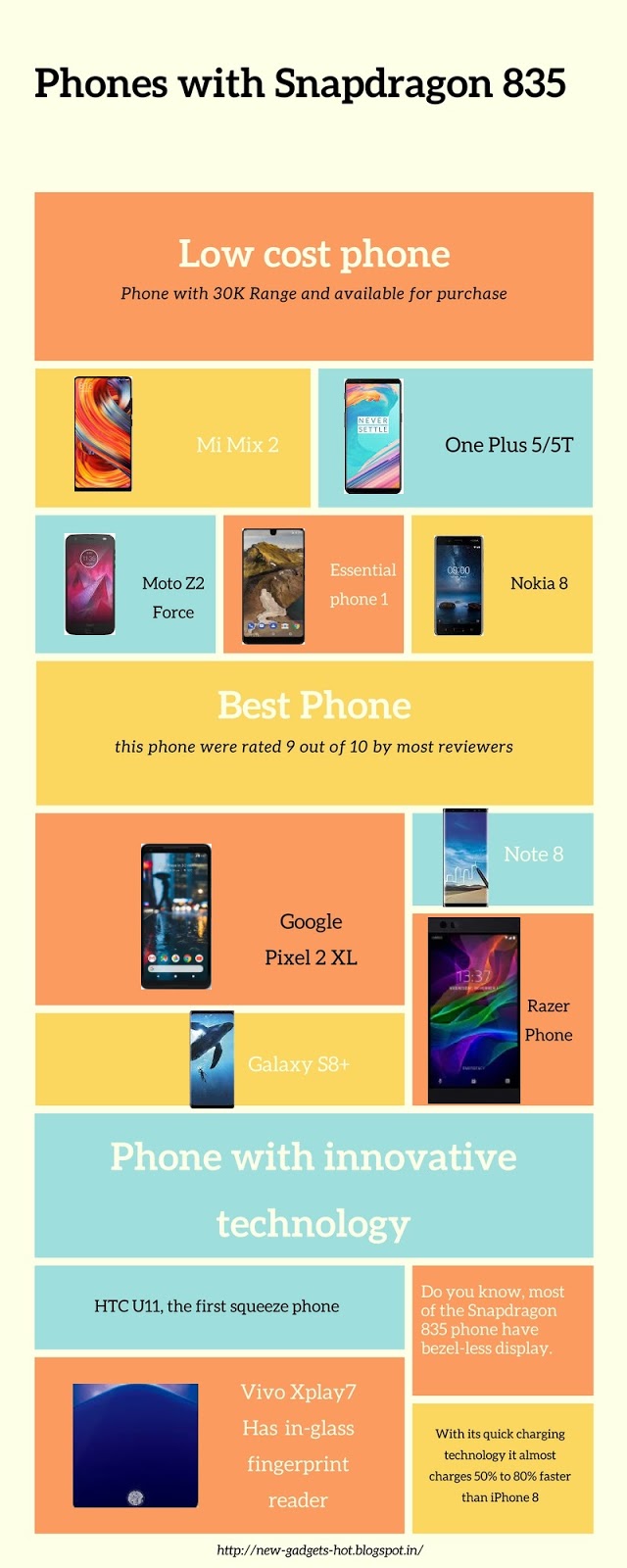
Snapdragon 835 Snapdragon 835 is the flagship chipset from Qualcomm for the year 2017.  This chipset is used in the phones like Google pixel 2,  Oneplus 5T and Samsung Galaxy Note 8.   Phones with this chipset have infinity display  are commonly known as bezel less display.   This chipset is so powerful that it went head on head with iPhones Bionic chip.  Most of the flagship phone from 2017 used Snapdragon 835.  Below are the list of phone that uses Snapdragon 835.  Phones using Snapdragon 835 Nokia 8 Sirocco . Announced Feb 2018. Features 5.5″ P-OLED display, Snapdragon 835 chipset, Dual: 12 MP (f/1.75, 1.4 µm, OIS) + 12 MP primary camera, 5 MP front camera, 3260 mAh battery, 128 GB storage, 6 GB RAM, IP67 certified, Corning Gorilla Glass 5. LG V30s Thinq . Announced Feb 2018. Features 6.0″ P-OLED display, Snapdragon 835 chipset, Dual: 16 MP (f/1.6, 1 µm, 3-axis OIS, PDAF) + 13 MP primary camera, 5 MP front camera, 33...

Consider using Google GO apps if you have 1 GB or less RAM

Image
I have an old Lava tablet which has 1 GB of RAM. The specifications where not spectacular. I have only 8 GB of internal memory in which I have to accommodate all my apps. I will hardly get 6 GB to use it for myself. If you are one such user consider installing the following apps. The apps which I am going to mention in this post are all Google go app. With the launch of Android Oreo, Google came with set of apps which uses less memory and less space. In this post I want to compare my previous Google apps with the new Android go apps. Here I will show how much space and memory I saved by using the new Android go apps. Another advantage of using this go app is it consumes very less data. These apps are designed to run on the mobile which cost less than 5K rupees. Below are the list of Android go apps that we can download from Play Store Gmail go - lightweight version of Gmail Assistant go - similar to Siri but consumes less RAM and space Google go - Google search app which is...

Phone with battery life more than 15 hours

Image
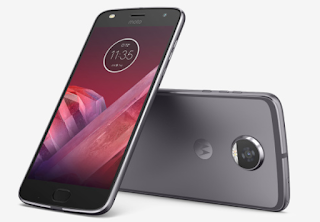
Initially my search was for the phone with battery life close to 2 days. After my research I found the longest time the battery backup can be is 28 hours. And the name of the phone is Lenovo P2. There can be some other phone which can cross this feat but the chances are slim. Unfortunately this phone is not available for sale. Then I found few phones  which gives battery backup close to 24 hours. But they are not powerful and it is a Samsung phone. I wanted to try something different from Samsung so I started my search again. Then I found another two phones from Oneplus but they are out of my budget. The two phones are Oneplus 5 and Oneplus 5t. Finally I found the phone which I can afford and it gives battery backup more than 15 hours. It is Motorola moto Z2 play . It is successor of Motorola Moto Z play which had phenomenal battery backup close to 24 hours (1425 minutes). How the phone is tested? To check the battery life we had play the video in 1080 p continuously and also w...

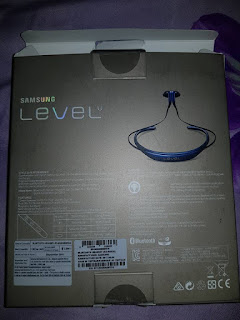
How long does it take to charge a Samsung Level U?

Image
My Samsung Level U is taking around 1.5 to 2 hours depends on the remaining charge. Upon charging I will use 6 days straight for 3 to 4 hours per day usage. The charging time and battery backup will vary with device. I have spoken with other users using Samsung Level U and below is the charging time and battery backup range: Charging time - 1 hour to 3 hours. Battery Backup - 3 days to 7 days (with 3 hours per day usage) If you see above metric the least charging time is 1 hour. It all depends on how often you charge and the power supply, charger your use. If you use direct AC power supply chances are it will charge fast. If you use power bank to charge then there will be delay. Battery backup depends on the volume you use. If you use it with full volume then battery will drain faster. Also if you frequently disconnect and connect then the battery backup will be affected. It is always better to keep connected rather than connecting/disconnecting frequently. Other common q...

iPhone X problems after three months

Image
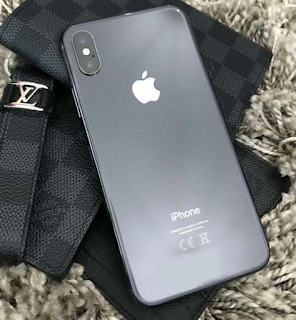
iPhone X is really a great phone which has the features that we expect in modern mobile devices. The vertical dual camera attracts eyes and I have seen many guys stopped by and asked me "Is it the new iPhone X?". Yet I feel below are some of the problem which I face using iPhone X as daily driver. Fear of not using without case: iPhone X is easily one of the costliest phone in the planet. Though I have insurance that covers front glass breakage I am scared that dropping the phone may stop the phone working properly. I have gone case-free for first two weeks then my phone dropped accidental from my pocket. I easily got few scratches on my back glass.Then I got black polycarbonate  case for the iPhone X  and put it on my phone. I really liked the feel of phone without case but I used to travel a lot and the phone feels fragile. Apple claims that the phone is durable but it is not in my case. They even claimed that iPhone X has the strongest glass but I don't want to pu...

Getting too many Vodafone spam calls

Image
Just after purchasing a Vodafone SIM I used to get 2 to 3 calls daily from Vodafone customer care. In this post lets see how to block it. This method will block both calls and SMS that is intended for marketing. I used to get calls from number starting with 140890**** . To stop this you can enable DND option. Enabling DND in Vodafone To enable DND you can send SMS to 1909 as START 0. Here 0 means you are requesting Vodafone to stop any kind of telemarketing. You can also use following link to enable DND: https://www.vodafone.in/dnd

How to remove special character like  using Python?

In this blog post I am going to share you an Python function which can be used to remove special character in your data. It is normal that you will get special character like Ä, NÄ�sÄ«f etc when scrape from website. This will cause trouble when you want to export the data and it also doesn't looks good. Below code helps us to solve the problem: def cleanup(value): return value.encode('ascii', errors='replace').replace("?"," ") You can run the above funtion in Pandas to column which got the special character. Below is one sample: data['Name']= data['Name'].apply(cleanup) In above line data is the data frame and it has column named as Name . I am using apply function to run my custom code which will replace the any weird character to blanks. You can covert any column to numeric using below line: data['Age'] = data['Age'].apply(pd.to_numeric, errors='coerce') Again in above line I am using ap...