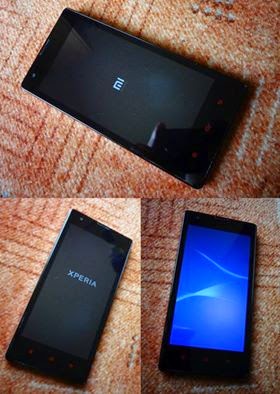
XDA forum for Redmi 1S came with a new ROM named as Mi Xperia V2.0. I installed by referring the developers guide. And now my phone looks like this after installing Xperia ROM. Xperia ROM in Redmi 1S What Should I Do To Get This ROM? To download ROM - Download link To install Google Apps (Play Store, Play services and all) - pa_gapps-modular-pico-4.4.4-20150106-signed.zip Steps to install ROM: # Download ROM (Part 1 & Part 2 Both) & GAPPS # Copy ROM & GAPPS to Internal or External SD Card # Boot into Custom Recovery (TWRP or CWM) # Wipe data,system,cache,dalvik/factory reset # Flash Part 1 Zip # Flash Part 2 Zip and Reboot to System # Reboot to Recovery # Flash GAPPS # Flash Mi_Xperia!_v2.01.zip(FIX) Official link of this ROM - http://forum.xda-developers.com/showpost.php?p=57866070&postcount=145